
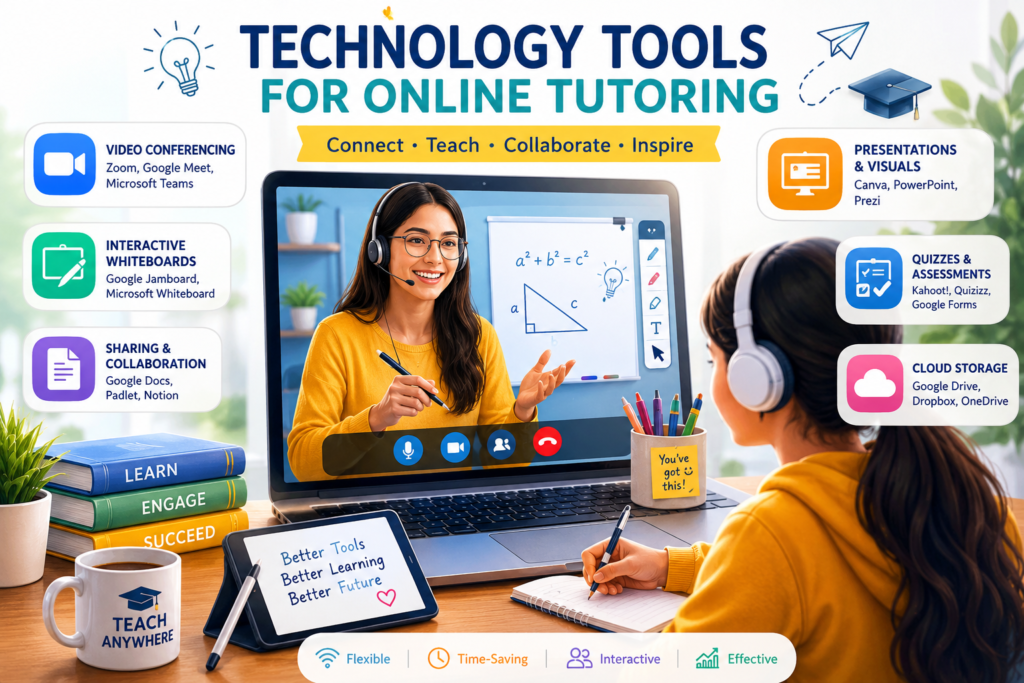
Introduction
Online tutoring has transformed education by making learning accessible, flexible, and personalized. With the rise of digital platforms, tutors now rely on technology tools to deliver engaging lessons, track student progress, and create interactive learning experiences. Choosing the right tools can significantly improve both teaching efficiency and student outcomes.
Importance of Technology in Online Tutoring
- Accessibility: Students can learn from anywhere, anytime.
- Engagement: Interactive tools keep learners motivated.
- Personalization: Adaptive platforms tailor lessons to individual needs.
- Efficiency: Automates scheduling, assessments, and feedback.
Essential Technology Tools for Online Tutoring
1. Video Conferencing Platforms
- Examples: Zoom, Microsoft Teams, Google Meet.
- Features: Screen sharing, breakout rooms, recording sessions.
2. Learning Management Systems (LMS)
- Examples: Moodle, Canvas, Blackboard.
- Features: Course organization, assignments, grading, analytics.
3. Interactive Whiteboards
- Examples: Miro, Jamboard, Ziteboard.
- Features: Real‑time collaboration, drawing tools, visual explanations.
4. Assessment Tools
- Examples: Kahoot, Quizizz, Google Forms.
- Features: Quizzes, polls, instant feedback.
5. File Sharing & Cloud Storage
- Examples: Google Drive, Dropbox, OneDrive.
- Features: Easy access to notes, assignments, and resources.
6. Scheduling Tools
- Examples: Calendly, Doodle.
- Features: Automated booking, reminders, time zone adjustments.
7. Collaboration Tools
- Examples: Slack, Microsoft Teams chat.
- Features: Group discussions, file sharing, instant communication
Comparison Table
| Tool Category | Examples | Benefits for Tutors & Students |
|---|---|---|
| Video Conferencing | Zoom, Teams | Real‑time interaction |
| LMS | Moodle, Canvas | Organized learning & tracking |
| Whiteboards | Jamboard, Miro | Visual collaboration |
| Assessment Tools | Kahoot, Quizizz | Engaging quizzes & feedback |
| Cloud Storage | Google Drive, Dropbox | Easy resource sharing |
| Scheduling | Calendly, Doodle | Simplified time management |
| Collaboration | Slack, Teams | Continuous communication |
How Technology Improves Online Tutoring
- Engagement: Interactive tools make lessons fun.
- Efficiency: Saves time with automation.
- Flexibility: Tutors can adapt to student needs.
- Global reach: Connects tutors and students worldwide.