

Introduction
The Microsoft Excel Essentials Course is a comprehensive training program designed to help learners efficiently manage, analyze, and present data using spreadsheets. As organizations rely heavily on data for decision-making, Excel has become a core business tool. Therefore, mastering Excel is essential for modern careers.
Microsoft Excel is widely used for calculations, reporting, data analysis, and business planning. As a result, it improves productivity and supports informed decision-making.
Whether you are a student, employee, or freelancer, this course provides essential digital and analytical skills.
Course Overview
Modern workplaces require strong data management skills. Therefore, understanding Excel is crucial.
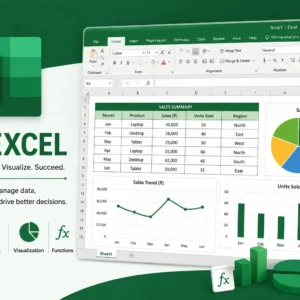
In this course, learners explore spreadsheet creation, data entry, formulas, functions, sorting, filtering, and chart creation. Additionally, participants gain knowledge of basic data analysis and reporting techniques.
The course combines practical exercises with real-world business examples.
What You Will Learn
First, learners will understand the basics of Excel interface and spreadsheet structure. Next, they will learn how to enter and organize data.
After that, learners will explore formulas, functions, and calculations. Moreover, the course explains how to create charts and visualize data effectively.
Finally, participants will gain hands-on experience in basic data analysis and reporting.
Skills You Will Gain
- Microsoft Excel skills
- Spreadsheet management
- Data entry and organization
- Formulas and functions
- Data analysis basics
- Chart and graph creation
- Reporting skills
- Problem-solving ability
- Business data handling
- Analytical thinking
Additionally, these skills are highly valuable in office jobs, finance, administration, and business roles.
Benefits of the Course
First and foremost, this course improves productivity and data accuracy. In addition, it builds confidence in handling business data.
Furthermore, learners understand how to use Excel for real-world tasks. As a result, they become job-ready for office and administrative roles.
At the same time, strong Excel skills significantly improve career opportunities in multiple industries.
Who Should Enroll?
This course is ideal for:
- Students and graduates
- Job seekers
- Office employees
- Account assistants
- Data entry operators
- Business professionals
- Freelancers
- Freshers
- Administrative staff
- Anyone working with data
No prior experience is required. Therefore, beginners can easily start learning.
Career Opportunities
After completing this course, learners may pursue roles such as:
- Data Entry Operator
- Office Assistant
- Administrative Assistant
- Accounts Assistant
- Business Analyst (Entry Level)
- Reporting Executive
- Finance Assistant
- Operations Assistant
- MIS Executive
- Customer Support Executive
Moreover, Excel skills are required in almost every professional field.
Certification
Upon completion, learners receive a certification validating their Microsoft Excel and data management skills. This certificate demonstrates readiness for office and analytical roles.
Conclusion
In conclusion, the Microsoft Excel Essentials Course provides a strong foundation for working with data and spreadsheets. Overall, it helps learners develop analytical, organizational, and reporting skills.
Moreover, it prepares learners for real-world office and business environments. As a result, they become more confident and job-ready.
Finally, whether for academic use or career growth, this course builds essential Excel skills for long-term success.
FAQ Section
1. What is Microsoft Excel Essentials?
It is a course that teaches how to use Excel for spreadsheets, formulas, and data management.
2. Is this course suitable for beginners?
Yes, it is designed for beginners with no prior experience.
3. What topics are covered?
Spreadsheets, formulas, charts, and basic data analysis are covered.
4. Do I need experience?
No prior experience is required.
5. Will I get a certificate?
Yes, a certificate is provided after completion.
6. Who should take this course?
Students, job seekers, and office professionals should take it.
7. What skills will I learn?
You will learn Excel, data handling, and analytical skills.
8. Where are these skills used?
These skills are used in offices, finance, and business roles.
9. Can this course help in getting a job?
Yes, it improves skills required for many office jobs.
10. What jobs can I get after this course?
You can work as Data Entry Operator, MIS Executive, or Office Assistant.



Reviews
There are no reviews yet.