
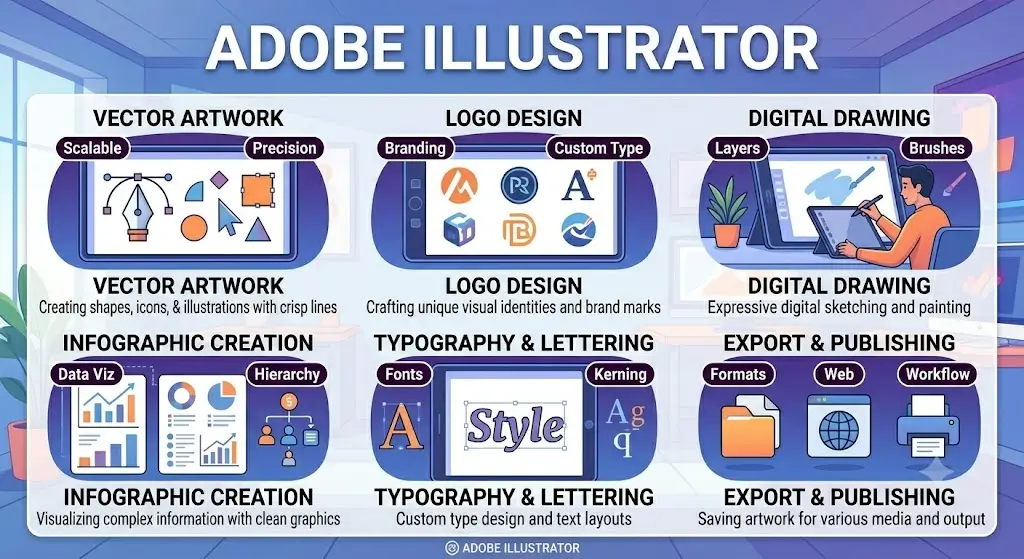
Adobe Illustrator is the industry-standard vector graphics software used by designers worldwide to create logos, illustrations, typography, and scalable artwork. This comprehensive course introduces learners to the fundamentals of Illustrator, covering essential tools, shapes, paths, layers, and advanced vector techniques.
Students will gain hands-on experience in designing professional logos, icons, infographics, and digital illustrations. The course also explores creative workflows for branding, print design, and web graphics, ensuring learners can produce high-quality visuals that remain sharp at any size.
By the end of this course, participants will be able to:
- Understand the Illustrator interface and core vector tools.
- Create and manipulate shapes, paths, and layers.
- Design logos, icons, and scalable graphics.
- Apply color theory, gradients, and typography effectively.
- Use advanced techniques such as pen tools, brushes, and effects.
- Export optimized artwork for print, web, and digital platforms.
This course is ideal for students, graphic designers, illustrators, and professionals who want to master vector-based design. With project-based learning and real-world examples, you’ll gain the confidence to create impactful designs that elevate your creative portfolio.
Keywords: Adobe Illustrator Course, Vector Graphics, Logo Design, Digital Illustration, Typography, Branding Design, Scalable Artwork.
FAQ SECTION
1. What is an Adobe Illustrator Course?
An Adobe Illustrator Course teaches vector graphic design, logo creation, illustration, typography, and professional design techniques.
2. Who should enroll in this course?
Students, graphic designers, freelancers, digital artists, marketers, and creative professionals can benefit from this course.
3. Is this course suitable for beginners?
Yes, the course is designed for beginners as well as individuals seeking to improve their Illustrator skills.
4. What skills will I learn?
Vector design, logo design, digital illustration, typography, branding, and graphic design techniques.
5. Will I receive a certificate?
Yes, participants receive a course completion certificate.
6. Do I need prior design experience?
No, prior experience is not required to start the course.
7. Will I learn logo design?
Yes, logo design and branding are key parts of the curriculum.
8. Does the course include practical projects?
Yes, learners complete hands-on projects and portfolio-building assignments.
9. Is the course available online?
Yes, learners can complete the course online.
10. What career opportunities are available after this course?
Graphic Designer, Illustrator, Visual Designer, Brand Designer, Digital Artist, and Freelance Designer.





Reviews
There are no reviews yet.