
Introduction
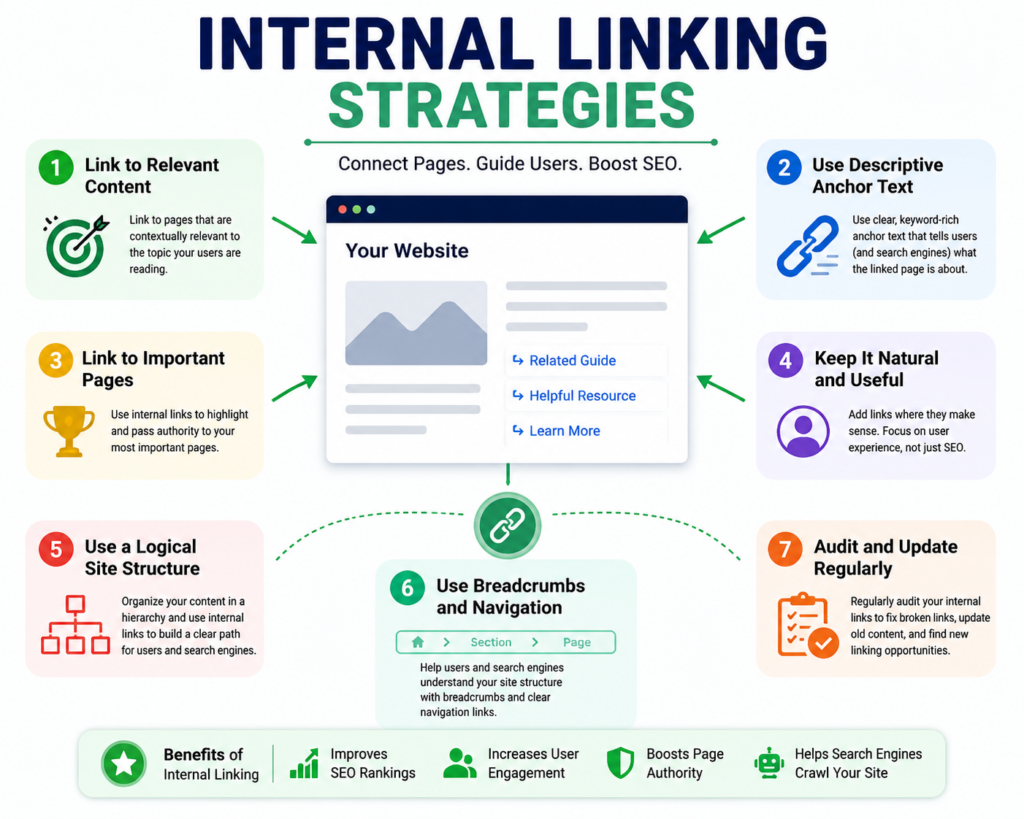
Internal linking is one of the most overlooked yet powerful SEO techniques. It not only helps search engines understand your website structure but also guides readers to relevant content, improving engagement and reducing bounce rates.
In this guide, we’ll explore the best internal linking strategies to boost your website’s SEO, increase traffic, and enhance user experience.
What Is Internal Linking?
An internal link is a hyperlink that connects one page of your website to another. Unlike external links (which point to other websites), internal links keep users within your site, helping them discover more content.
Why Internal Linking Matters
- Improves SEO ranking by distributing link equity across pages.
- Enhances user experience by guiding readers to related content.
- Increases page views and reduces bounce rates.
- Helps Google crawl your site more effectively.
- Boosts conversions by directing users to product or service pages.
Best Internal Linking Strategies
1. Use Keyword-Rich Anchor Text
Anchor text should include relevant keywords that describe the linked page. Avoid generic phrases like “click here.”
2. Link to High-Value Pages
Direct users to cornerstone content, product pages, or guides that provide maximum value.
3. Create a Logical Site Structure
Organize your website into categories and subcategories. Ensure every page is accessible within 3–4 clicks.
4. Add Links to Old Content
Update older posts with links to newer articles. This keeps content fresh and improves SEO.
5. Use Contextual Linking
Place links naturally within the content where they add value, not just for SEO purposes.
6. Limit Links Per Page
Too many links can confuse readers and dilute SEO value. Aim for 3–5 relevant links per 1,000 words.
7. Link Deep, Not Just to Homepage
Avoid linking only to your homepage. Guide users to deeper pages like blogs, services, or resources.
8. Use Breadcrumbs
Breadcrumb navigation improves usability and helps search engines understand site hierarchy.
9. Balance Follow and No-Follow Links
Use “follow” links for important pages and “no-follow” for less critical ones (like login or checkout pages).
10. Monitor and Update Links
Regularly check for broken links and update them to maintain SEO health.
Tools to Improve Internal Linking
- Yoast SEO – Suggests internal links in WordPress.
- Ahrefs – Analyzes link distribution.
- SEMrush – Identifies orphan pages.
- Google Search Console – Tracks internal link performance.
Common Mistakes to Avoid
- Overstuffing keywords in anchor text.
- Linking irrelevant pages.
- Ignoring orphan pages (pages with no internal links).
- Using identical anchor text for different pages.
- Forgetting to update links when URLs change.