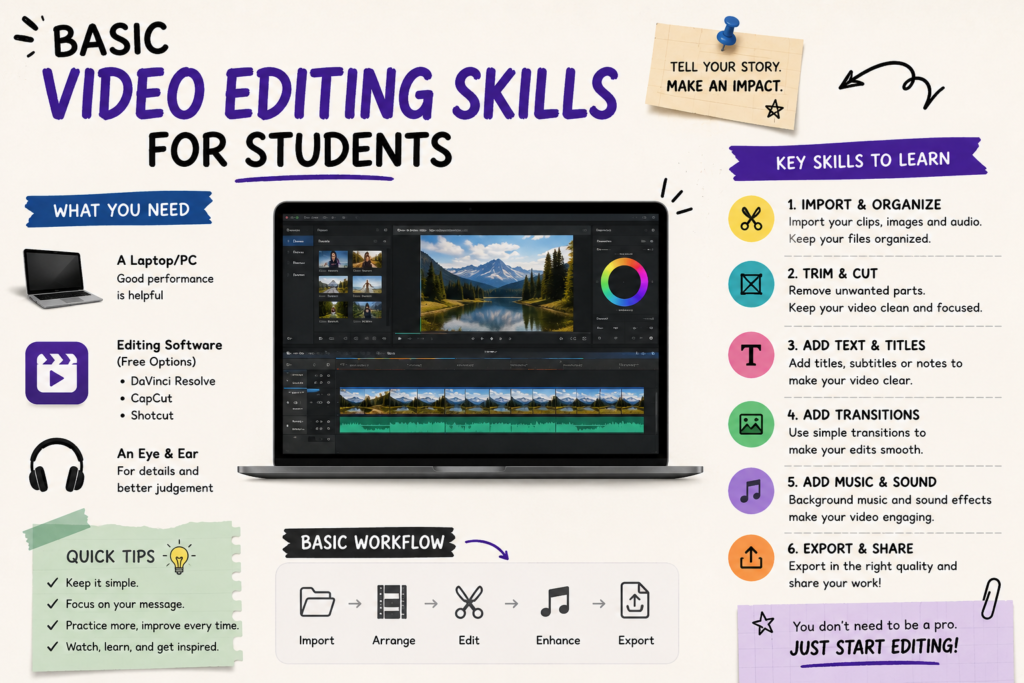
Video is the most powerful medium for storytelling today. Students use videos for assignments, presentations, portfolios, and even personal branding. Learning basic video editing skills ensures that their content is polished, engaging, and impactful.
Core Video Editing Skills
Skill
Why It Matters
Example
Understanding Software
Learn tools like Adobe Premiere Pro, Final Cut Pro, or DaVinci Resolve
Editing class projects
Cutting & Trimming
Remove unnecessary footage and keep videos concise
Shortening a lecture recording
Transitions & Effects
Smooth flow between clips
Adding fade‑in/out in presentations
Color Correction
Adjust brightness, contrast, and tones
Making classroom videos look professional
Audio Editing
Balance background music and voice
Adding narration to a project
Titles & Text
Add captions, credits, or highlights
Labeling sections in a research video
Exporting Formats
Save videos in correct resolution and size
Uploading assignments to YouTube or LMS
Why Video Editing Skills Matter for Students
Academic Success: Create polished presentations and projects.
Career Growth: Employers value digital content creation skills.
Creativity: Express ideas visually and innovatively.
Personal Branding: Build a strong online presence with professional videos.
Collaboration: Work effectively on group projects using shared editing tools.
Best Free & Paid Tools for Students
Tool
Type
Features
Adobe Premiere Pro
Paid
Industry standard, advanced features
Final Cut Pro (Mac)
Paid
High‑end editing for Apple users
DaVinci Resolve
Free/Paid
Professional color grading, editing
iMovie (Mac/iOS)
Free
Beginner‑friendly, simple interface
Filmora
Paid
Easy drag‑and‑drop editing
CapCut
Free
Mobile editing, social media focus
Tips to Improve Video Editing Skills
Start with free tools like iMovie or CapCut.
Practice cutting and trimming short clips.
Experiment with transitions and effects.
Learn color correction basics.
Add background music carefully — not too loud.
Watch tutorials on YouTube or Coursera.
Create small projects regularly to build confidence.